Polytrack is a pleasant diversion from the many realistic race games available. Instead of trying to be realistic, this game celebrates arcade craziness and turns it into its appeal with its colorful low-poly style, fast-paced games, and powerful custom track editor.
Players wouldn't have played the game any other way because each spin, jump, and repetition puts their nerves and abilities to the test.
When you want to take milliseconds of your best time or create the ideal loop that would prevent you from dying, the game provides you with the instruments and speed for making it happen.
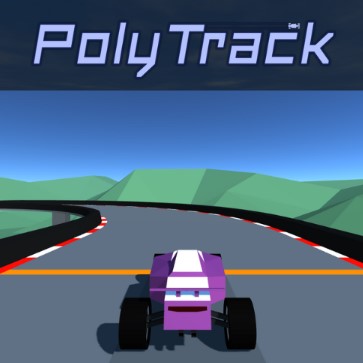
Players control very sensitive cars on physics-based tracks full of amazing moves and things that don't fall. PolyTrack is a straightforward; dynamic racing simulator. It's evident that it was influenced by the famous game TrackMania, but it has an individual charm because of its styled graphics, easy controls, and many chances to be creative.
Every run becomes a puzzle. How can you turn faster? Jump cleaner? Land smoother? It’s addictively rewarding to keep improving, one run at a time.
One of the most iconic visual elements in the game is the loop—and yes, you can ride sideways along giant cylinders or twist through upside-down turns at breakneck speeds. These aren’t just for show—they demand calculated entry speed and perfect alignment. Mistime it, and you’re flying off into the low-poly void.
From your car’s paint job to its rim color, you can style your ride to match your mood. The customization interface is fast, simple, and surprisingly satisfying. Whether you want a neon-green beast or a black-and-red bullet, your design becomes part of your identity on the track.
This is where PolyTrack truly stands out. The integrated level editor allows you to build your own tracks from scratch. Want to create a vertical wall ride? Done. How about a rollercoaster-style descent into a massive jump? Easy. Place, rotate, raise, and lower track pieces with intuitive mouse controls.
You can even export and share your tracks with the community or try out the creations others have made. There’s practically infinite replayability baked in.
Start with simple tracks. Get a feel for the physics before diving into complex creations.
Use the restart key generously. Most players restart dozens of times to find the perfect line.
Watch your replays. Learn from every attempt—you'll spot where you’re losing time.
Get involved in the community. Whether it’s sharing your tracks or downloading others’, the game really comes alive when you start engaging with what others are building.
Experiment in the editor. Try weird ideas. Make impossible jumps. Build spirals. The sandbox is yours.
PolyTrack isn’t a game that tries to do everything.
PolyTrack doesn't try to be a lot of different things. Instead, it centers around doing one thing exceptionally well: timed assessments that are tight, quick, and creative. Hold on tight, start to build, to carry step on the throttle. You own this game; the track and the clock are running out.